
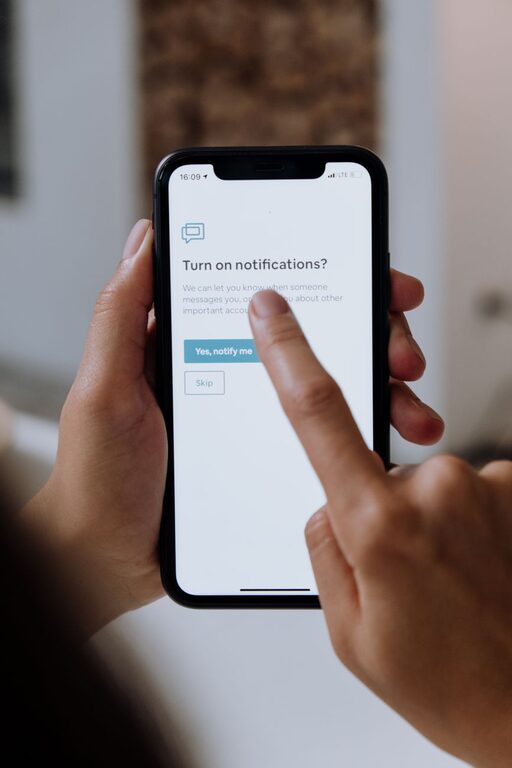
In today’s digital world, notifications are everywhere—from smartphones and tablets to laptops and smartwatches. While they help us stay informed and connected, notifications can also be overwhelming and distracting. Constant alerts can interrupt our focus, disrupt our routines, and sometimes even cause stress. Setting boundaries with notifications is a key step toward gaining control over your digital life and improving your overall well-being.
In this article, we’ll explore practical tips to help you manage notifications effectively, so you can stay focused, reduce distractions, and enjoy a healthier balance between your online and offline life.
Why Set Boundaries with Notifications?
Before diving into tips, it’s important to understand why managing notifications matters:
– Improved Focus: Notifications can break your concentration, making it harder to complete tasks.
– Reduced Stress: Constant alerts can increase feelings of anxiety or pressure to respond immediately.
– Better Sleep: Reducing nighttime notifications helps promote restful sleep.
– Increased Productivity: Fewer interruptions allow you to work more efficiently.
Tips for Setting Boundaries with Notifications
1. Audit Your Notifications
Begin by reviewing all the apps and devices that send you notifications. Ask yourself:
– Which notifications are truly necessary?
– Which apps send alerts too often or unnecessarily?
– Are there any apps you rarely use but still receive notifications from?
Unsubscribe, mute, or turn off notifications from apps and platforms that don’t add value or require immediate attention.
2. Customize Notification Settings
Most smartphones and computers allow you to customize notification preferences on a per-app basis. Adjust settings to:
– Allow notifications only from important contacts or essential apps.
– Disable sound and vibration alerts for less critical notifications.
– Choose banner alerts instead of pop-ups if you prefer less intrusive notices.
Taking time to tailor these settings ensures only relevant alerts reach you.
3. Use Do Not Disturb Modes
Do Not Disturb (DND) modes are excellent tools to help you block distractions during specific times. Set your device to DND during:
– Work hours or study sessions to focus without interruptions.
– Meals and family time to be present with loved ones.
– Before bedtime to ensure a restful environment.
Many devices let you schedule DND automatically, providing convenience and consistency.
4. Set Notification Check Times
Rather than reacting to every alert as it arrives, establish designated times during your day to review notifications. For example:
– Check emails three times a day: morning, midday, and late afternoon.
– Respond to social media messages in the evening.
– Avoid checking notifications first thing in the morning or right before bed.
This practice helps reduce stress caused by constant monitoring and encourages more deliberate, focused interaction.
5. Limit Notifications on Wearables
Smartwatches and fitness trackers often mirror your phone’s notifications, which can amplify distractions. Review notification preferences on wearables and limit alerts to essentials like calls or urgent messages.
6. Use App Productivity Tools
Some apps offer features designed to reduce distractions, such as:
– Summary modes that compile notifications and deliver them at scheduled intervals.
– Focus modes that block notifications while you concentrate on a task.
– Priority-only notifications to highlight urgent communications.
Explore these tools in your frequently used apps to help maintain control over alerts.
7. Communicate Your Boundaries
If you work in a team or share devices with others, communicate your boundaries regarding notifications. For instance:
– Inform colleagues or family when you’re in focus mode or unavailable.
– Share your preferred channels and times for urgent communication.
– Set expectations about response times during specific periods.
Clear communication helps others respect your boundary-setting efforts.
8. Practice Mindfulness Around Technology
Being mindful about your notification habits supports healthy boundaries:
– Notice how notifications affect your mood and concentration.
– Reflect on your responses—do you need to reply immediately, or can it wait?
– Take regular tech breaks to reconnect with your surroundings.
Mindfulness encourages intentional use of technology rather than reactive behavior.
Bonus: Tips for Managing Email Notifications
Emails can be a major source of notifications. Consider these additional tips:
– Use filters or labels to prioritize important messages.
– Unsubscribe from newsletters or promotions you no longer read.
– Turn off email notifications on mobile and check emails during planned times only.
Final Thoughts
Setting boundaries with notifications is a manageable and valuable way to improve your focus, reduce stress, and reclaim your time. By auditing your alerts, customizing settings, scheduling notification checks, and communicating your preferences, you can create a digital environment that supports your well-being.
Remember, the goal isn’t to eliminate notifications entirely but to make them work for you—helping rather than hindering your daily life.
Take a few minutes today to review your notification settings and start building healthier digital habits. Your mind and productivity will thank you!

Related Posts